Overview
Custom Attribution Models in RevSure allow organizations to define how credit is assigned across marketing and sales touchpoints, based on their unique go-to-market motion.
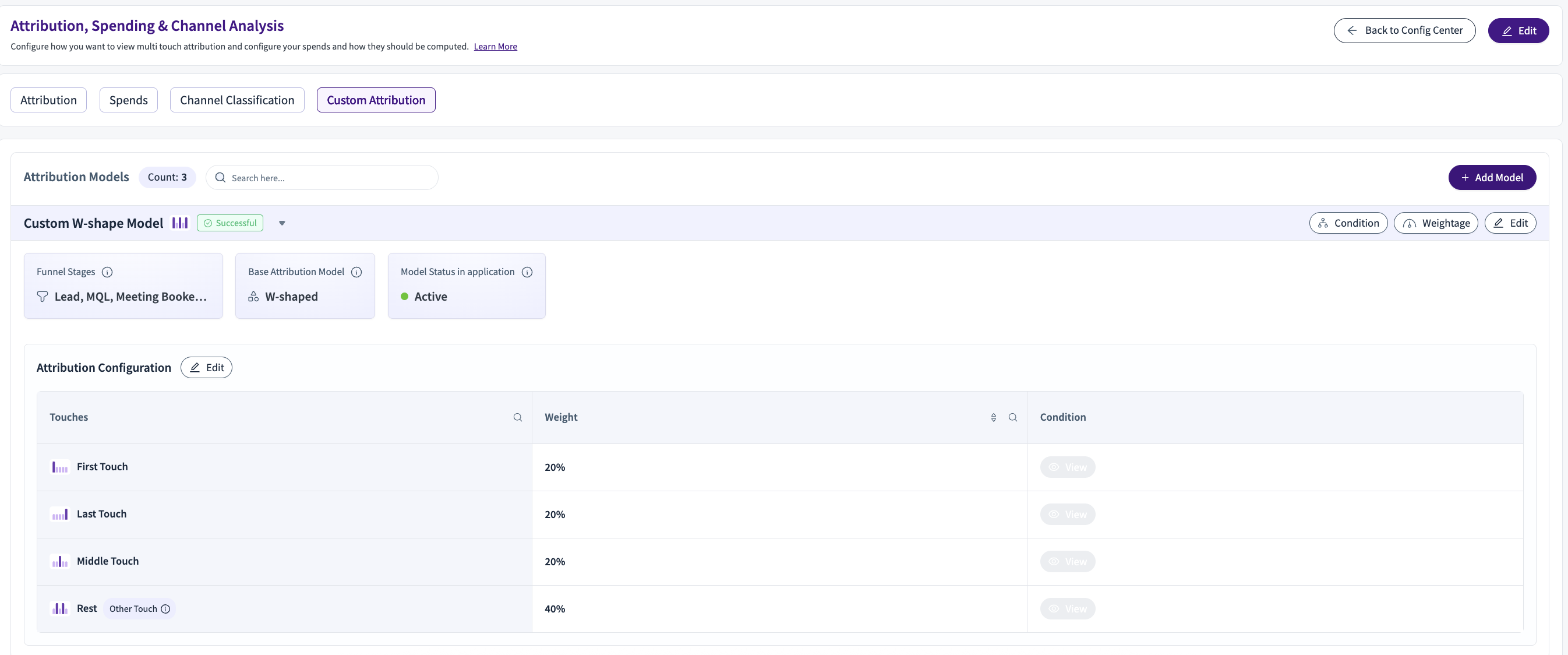
Instead of relying only on fixed models (First Touch, Last Touch, Linear, W-Shaped), customers can configure attribution logic using:
Touch position (First, Middle, Last, Rest)
Campaign and channel metadata
Inclusion and exclusion rules
Weightage multipliers
Models are centrally managed and consistently applied across dashboards and reports.
Creating a Custom Attribution Model
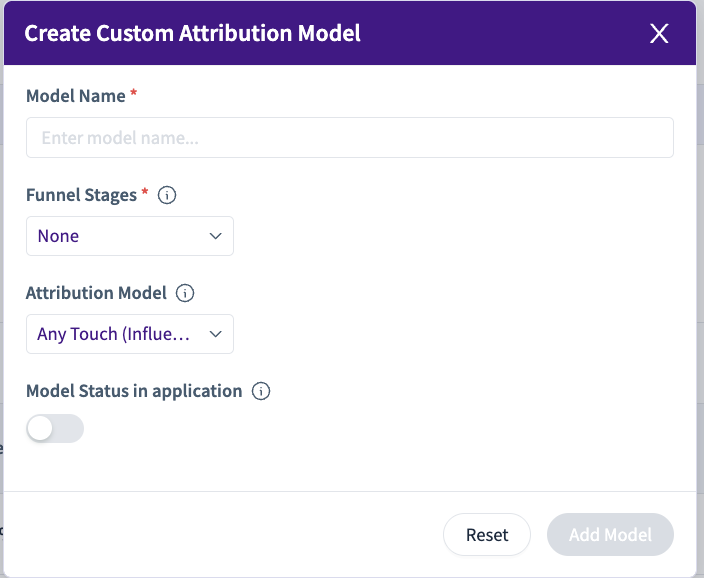
When creating a model:
Model Name
Funnel Stages
Base Attribution Model
First Touch
Last Touch
Linear
W-Shaped
Any Touch (Influence)
The base model defines the initial distribution logic, which can then be refined.
Attribution Configuration (Touch Distribution)
Each model distributes credit across touch buckets:
Touch Bucket | Description |
|---|---|
First Touch | First interaction in the journey |
Middle Touch | Middle interaction(s) in the journey |
Last Touch | Final interaction before conversion |
Rest | All remaining eligible touches |
Each bucket is assigned a base percentage (e.g., First 20%, Middle 20%, Last 20%, Rest 40%).
Conditions
For each model, you can define conditions that control which touchpoints are eligible.
Supported Fields
Conditions can be applied using campaign-level dimensions such as:
Campaign
Campaign Type
Campaign Channel
Campaign Source System
Other campaign metadata
These rules determine which touches are considered before weights are applied.
Weightage (Multiplier Logic)
Weightage in RevSure works as a multiplier, not a replacement for base attribution.
How Weightage Works
Base attribution is calculated from the model (e.g., W-Shaped).
If a touch meets a weightage condition, its value is multiplied.
All values are then normalized to 100%.
Example
Base weight for a touch = 10%
Weightage multiplier = 2×
Adjusted value = 20%
Final percentages are normalized across all touches
Weightage Conditions
Weightage can be applied using the same campaign-level fields:
Campaign Type
Campaign Channel
Campaign
Source System
This allows you to boost or reduce influence for specific campaign attributes.
Model Activation & Usage
Models can be saved as Active or Inactive
Active models appear in dashboard filters
Reports update dynamically when a different model is selected