Overview
This feature enables dashboard view owners to define how others can interact with public views they create in Marketing Performance . Owners can restrict whether users can only consume the view, explore data via filters, or create new views based on modified filters, without overwriting the original.
The goal is to improve data governance, consistency, and clarity when sharing dashboards publicly.
How to create a public view and view controls:
Step 1: Open “Save View As”
Open the dashboard with the configuration you want to save.
Click Save or Save View As.
The Save View as modal opens.
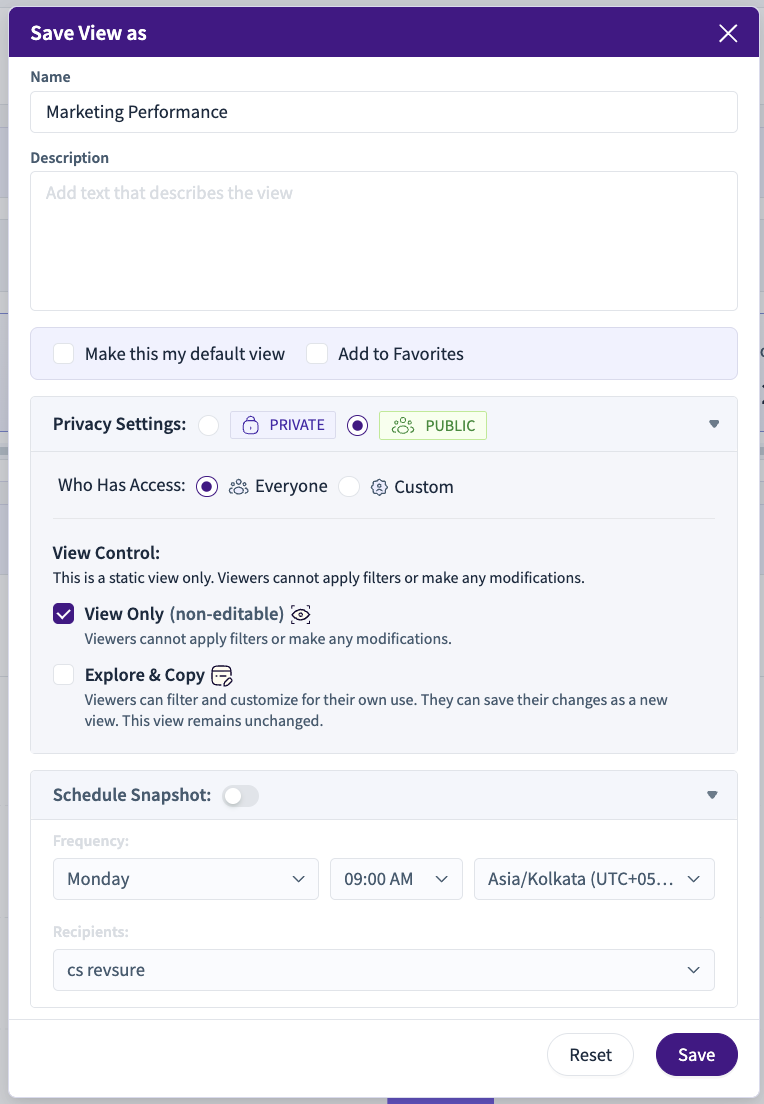
Step 2: Enter View Details
Name: Enter a meaningful name for the view
Example: Marketing PerformanceDescription (optional): Add context about what the view represents.
(Optional) Select:
Make this my default view
Add to Favorites
Step 3: Set Privacy to Public
In Privacy Settings, select PUBLIC.
Under Who Has Access, choose:
Everyone – accessible to all users
Custom – restrict access to specific users or groups
Step 4: Configure View Control
In the View Control section, choose how others can interact with this public view.
Option 1: View Only (non-editable)
Viewers cannot apply filters or make any changes
Dashboard opens in read-only / presentation mode
Suitable for:
Executive reviews
Standardized reporting
Trusted single-source dashboards
Behavior
Filters hidden
Edit and save actions disabled
Export and pagination allowed
Option 2: Explore & Copy
Viewers can apply filters and explore data
Original public view cannot be overwritten
Viewers can save their changes as a new view (if permitted)
Behavior
Filters and interactions enabled
“Update Current View” disabled
“Save as New View” enabled
Step 5: Save the View
Click Save.
The dashboard is now saved as a Public View with the selected interaction mode.
What Viewers Experience
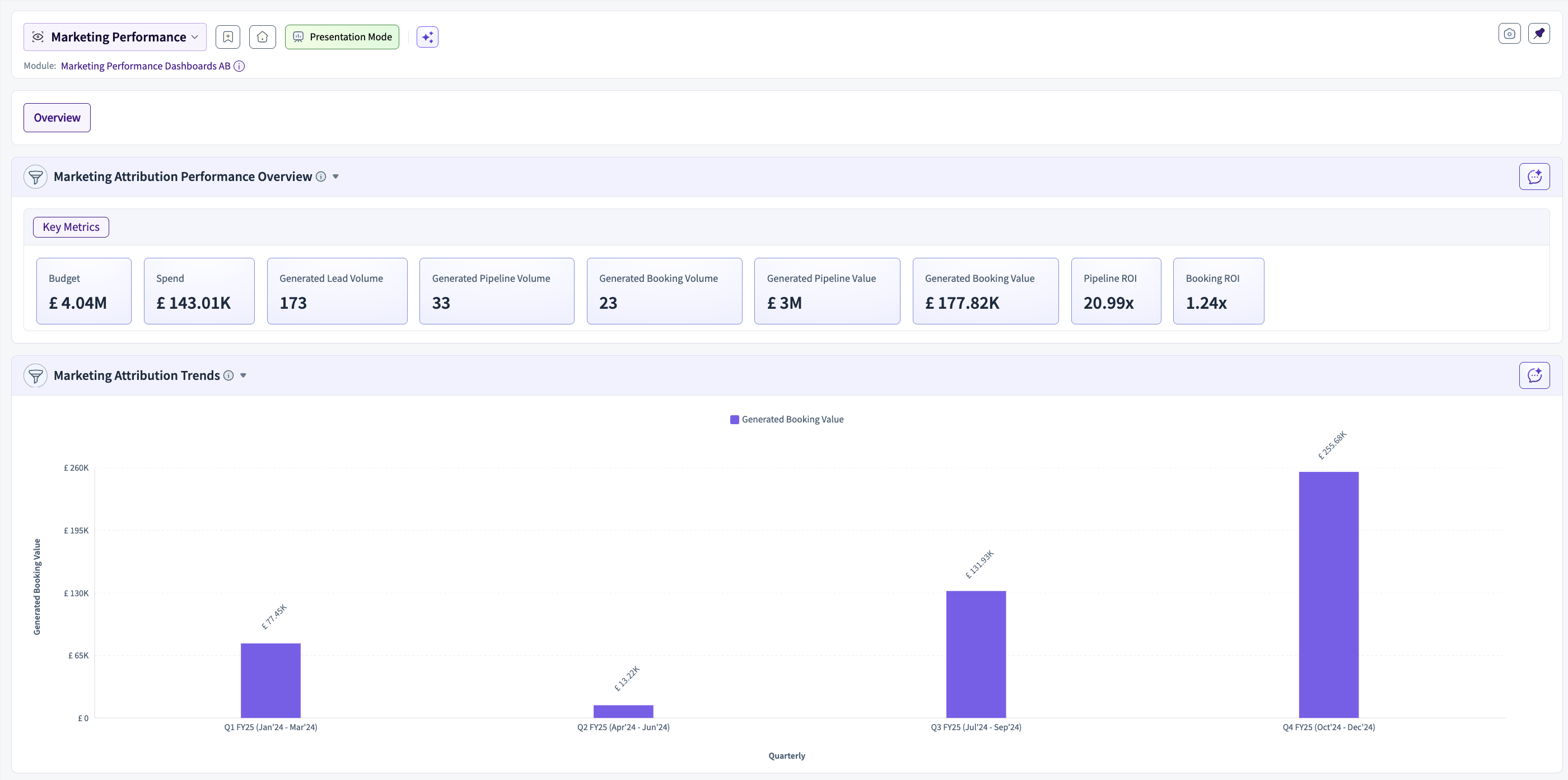
If View Only is Selected
Can only view the dashboard
Cannot change filters, layout, or configuration
Can export data and navigate tabs
If Explore & Copy is Selected
Can change filters and interact with widgets
Cannot save changes to the original public view
Can create a new personal or shared view using Save as New View