RevSure sends you notifications such as the Recommendations and digest. Notifications Configuration enables you to configure the notifications that you receive from RevSure on Slack and Email.
Email Notifications
Under Email Notifications, choose whether you would like to opt in or out of email notifications. Choose Yes or No to opt in and out of notifications from Email.
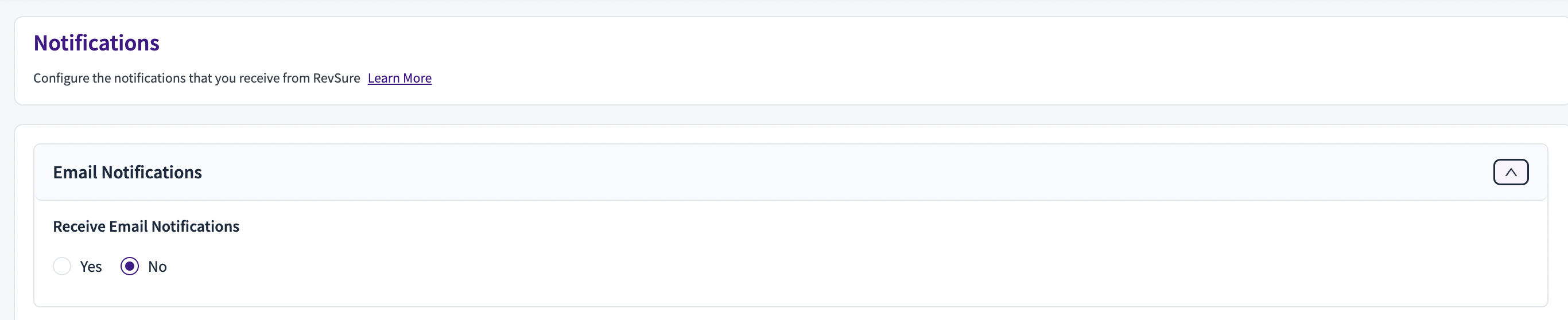
Note: All Users except User Admins in your RevSure Org will receive this notification
Slack Notifications
RevSure app sends you notifications to your slack channels. To configure this
Click on Connect to Slack
On the authorization page, click Allow on the workspace to connect to send notifications
Once authorized, you will be redirected back to the RevSure application
Choose whether you would like to Receive Slack group notifications — Yes or No
Choose which channels to receive the notifications. Click on Apply. Make sure, the RevSure app is integrated to the channel. Go to Slack, Click on Channel Name > Integrations > Add an App > Add RevSure.AI app to the channel.
Choose when you would like to receive the notification — which day(s) of the week, what time
Click Save
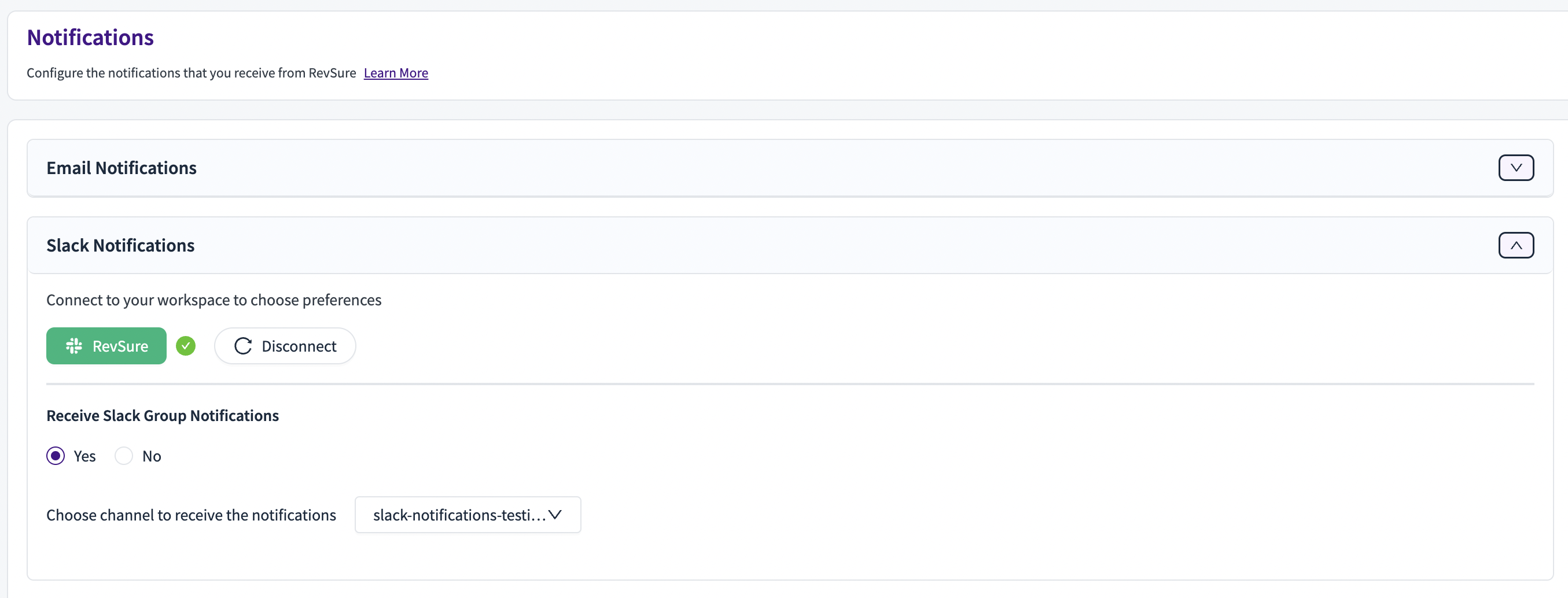
Note: All users who are part of the channel will receive these notifications